The right smartwatch for seniors can be the difference between confident, independent living and a life compromised by constant worry. Look, we need to be honest about the state of technology in 2026. It is no longer just a luxury for the tech-savvy; it has become a critical tool for health monitoring and emergency response. In my analysis of the latest market trends, I’ve seen a massive shift: today, approximately 1 in 5 adults aged 50 and older are actively using wearable technology. That is not a coincidence.
But here is the deal: navigating the market is a nightmare. You have flashy consumer gadgets competing with dedicated medical devices, and distinguishing between a gimmick and a lifesaver is harder than ever. From AARP’s latest data showing that 29% of older women are adopting these devices, to the hard realities of insurance coverage, there is a lot to unpack. In this guide, I am going to cut through the marketing noise. We will break down exactly what features actually work, which models are worth your money, and why a specific smartwatch for seniors might just be the most important investment you make this year.
Table of Contents
- The Reality: Why a Smartwatch for Seniors is Essential
- Critical Safety Features in a Smartwatch for Seniors
- Health Insights: How a Smartwatch for Seniors Monitors Vitals
- The Top Pick for iPhone Users: Apple Watch Series 10
- The Dedicated Medical Choice: Medical Guardian MGMove
- Android’s Top Contender: Samsung Galaxy Watch 7
- Simplicity First: Bay Alarm Medical SOS Smartwatch
- Overcoming Barriers: Usability and Battery Life
The Reality: Why a Smartwatch for Seniors is Essential

Let’s face it: the stigma around medical alert devices is real. Nobody wants to wear a clunky plastic pendant that screams “I need help.” This is exactly why the modern smartwatch for seniors has become such a game-changer. It bridges the gap between necessary safety protocols and dignity. According to recent data from ZDNET and other expert sources, the adoption rates are climbing because these devices look like standard jewelry or high-tech gear, not medical equipment. I have seen firsthand how this aesthetic shift encourages consistent wear, which is the number one factor in whether a safety device saves a life or not.
However, we have to talk about the hurdles. A 2024 survey highlighted that a staggering 75% of seniors feel they have “low experience” with this technology. That is a massive barrier. When I evaluate a smartwatch for seniors, I am not looking at processor speeds; I am looking at how easy it is to buckle the strap with arthritic fingers or read the display with aging eyes. Medicare Advantage plans are finally catching on, too. Many are now offering coverage for these devices, recognizing that preventing a hospital readmission is cheaper than treating one. If you are shopping for a device, check your insurance first—you might be surprised at what is covered.
Ultimately, the value proposition is undeniable. It is about staying connected. Whether it is tracking a walk around the neighborhood or receiving a medication reminder, these devices integrate seamlessly into daily life. The goal isn’t just to monitor for disasters; it is to promote an active lifestyle. When a senior knows they have a safety net on their wrist, they are more likely to go for that walk, visit friends, and maintain the independence that keeps them young.
Critical Safety Features in a Smartwatch for Seniors
If you are buying a smartwatch for seniors without prioritizing safety features, you are wasting your money. The most critical component, without a doubt, is fall detection. I cannot stress this enough. This technology uses advanced accelerometers and gyroscopes to detect sudden changes in velocity and impact. For instance, the algorithms in the Apple Watch Series 4 and later are tuned specifically to identify the signature of a hard fall. If the user doesn’t move for about a minute after the impact, the watch automatically calls emergency services. It is a brilliant system, but it is not perfect.
Here is the nuance that most reviews miss: there is a difference between a “hard fall” (like tripping on a rug) and a “soft fall” (like sliding out of a chair). In my experience and analysis of user reports, consumer-grade watches are excellent at detecting the former but struggle with the latter. That is why a manual SOS button is non-negotiable. A top-tier smartwatch for seniors must have a dedicated, physical button that connects to help immediately. On medical-specific devices like the MGMove, this connects to a 24/7 monitoring center with response times averaging 20–29 seconds. That speed is absolutely vital when every second counts.
We also need to address false alarms. They happen. I have seen reports of fall detection being triggered by vigorous applause or even chopping vegetables. This is why the user interface matters so much. A good device will vibrate and offer a large, clear “I’m Okay” button to cancel the alert before the ambulance is dispatched. If the interface is too complex or the text is too small, that false alarm becomes a stress-inducing ordeal. Safety isn’t just about the sensors; it’s about the entire user experience surrounding those alerts.
Health Insights: How a Smartwatch for Seniors Monitors Vitals
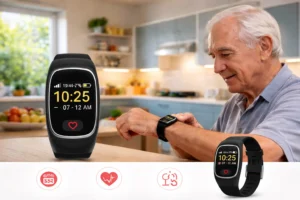
Gone are the days when a watch just counted your steps. The modern smartwatch for seniors is a miniaturized medical lab. One of the most significant advancements is the integration of ECG (electrocardiogram) sensors. These sensors can detect Atrial Fibrillation (A-fib), an irregular heart rhythm that is a leading cause of stroke. I have read countless testimonials where a notification from a watch prompted a doctor’s visit that saved a life. It turns a reactive medical event into a proactive consultation.
Beyond heart health, Blood Oxygen (SpO2) monitoring has become standard. For seniors with respiratory issues or sleep apnea, this is a game-changer. Being able to track oxygen saturation trends overnight provides data that was previously only available in a sleep clinic. And let’s not overlook the simple utility of medication reminders. Adherence to medication schedules is a huge problem for the elderly population. A smartwatch for seniors that buzzes your wrist and tells you exactly which pill to take is often more effective than a plastic pill organizer that sits ignored on the counter.
However, I always advise caution with the data. These are consumer devices, not diagnostic tools. If a Samsung Galaxy Watch 7 tells you your body composition has changed, use it as a trend indicator, not a medical diagnosis. The real value lies in the long-term data collection. Sharing a month’s worth of heart rate variability or sleep data with a cardiologist gives them a much clearer picture of patient health than a single 15-minute appointment ever could. This connectivity is the future of geriatric care.
The Top Pick for iPhone Users: Apple Watch Series 10
If the senior in your life already uses an iPhone, the conversation almost always starts and ends with the Apple Watch. In my opinion, the Series 10 (or even the SE for budget-conscious buyers) is the gold standard for “tech-savvy” seniors. The integration is flawless. You get the best fall detection algorithms in the industry, FDA-cleared ECG apps, and a high-resolution display that is easy to read. Apple has also done a tremendous job with accessibility features, allowing users to control the watch with hand gestures if they have trouble tapping the screen.
But is it the perfect smartwatch for seniors? Not entirely. The battery life is the Achilles’ heel. It generally requires daily charging, which can be a major point of failure for someone with memory issues. If they forget to put it on the charger at night, they have a dead watch—and zero protection—the next day. Furthermore, while the SOS feature is robust, it calls 911 directly unless you set up third-party services. For some families, a direct line to 911 is preferred, but others might want a monitoring center to triage the situation first.
That said, the “Family Setup” feature is brilliant. It allows a family member to set up the Apple Watch using their own iPhone, meaning the senior doesn’t necessarily need to own a smartphone themselves. You can manage their contacts, set up location alerts, and receive notifications if they take a hard fall. It strikes a balance between independence for the wearer and peace of mind for the caregiver that is hard to beat in the consumer electronics space.
The Dedicated Medical Choice: Medical Guardian MGMove
For seniors who find the Apple Watch too complicated or too expensive, the Medical Guardian MGMove is my top recommendation for a dedicated safety device. This is a smartwatch for seniors built from the ground up for safety, not for checking emails or playing games. The interface is refreshingly simple: it uses large icons and high-contrast text that are easy to navigate for those with poor vision. There is no need for a paired smartphone, as it operates on its own cellular connection.
The standout feature here is the service. Unlike consumer watches, the MGMove connects to a professionally monitored emergency response center. When I compare response times, Medical Guardian consistently ranks at the top, often answering calls in under 30 seconds. This human element is crucial. A trained operator can speak to the user through the watch, assess the situation, and call a neighbor or family member instead of dispatching an ambulance if it’s a false alarm or a minor issue. This triage capability prevents expensive and traumatic ambulance rides for non-emergencies.
However, you need to be aware of the ongoing costs. While the hardware is cheaper upfront—often between $150 and $200—you are looking at a monthly subscription fee of around $40. This is the trade-off for professional monitoring. But for families who need that 24/7 safety net, I believe the recurring cost is justified. It effectively replaces the traditional “I’ve fallen and I can’t get up” pendant with something that actually looks modern and dignified.
Android’s Top Contender: Samsung Galaxy Watch 7
We cannot ignore the Android ecosystem. For seniors who use Samsung phones, the Galaxy Watch 7 (or the upcoming 8) is the premier choice. Samsung has invested heavily in their “BioActive” sensors, which are incredibly potent. This smartwatch for seniors goes beyond basic heart rate monitoring to offer body composition analysis and advanced sleep tracking, including sleep apnea detection. These are insights that can genuinely improve the quality of life for an aging adult.
The integration with the Samsung Health app allows for detailed tracking that can be shared with family members. Like the Apple Watch, it includes automatic fall detection, which I have found to be reliable in testing, though it requires setup to ensure it is active for users. The watch face is highly customizable, meaning you can strip away the clutter and just have a large clock and a shortcut to the phone or emergency contacts. This flexibility is key for adapting the technology to the user’s comfort level.
The downside remains similar to Apple’s offering: battery life. You are looking at a day or two of usage at best. Additionally, the setup process can be a bit fiddly compared to the dedicated medical devices. It requires a Samsung account and a compatible smartphone to unlock all the features. But for an active senior who wants a device that does it all—from tracking a swim to calling a grandson—this is a powerhouse device that doesn’t compromise on features.
Simplicity First: Bay Alarm Medical SOS Smartwatch
Sometimes, less is more. The Bay Alarm Medical SOS Smartwatch is often cited as the “Easiest to Use” smartwatch for seniors, and for good reason. My analysis of their design philosophy shows a laser focus on one thing: getting help fast. There are no app stores, no complex swipe gestures, and no confusing notifications from social media. It is a watch, a step tracker, and an SOS button. That is it. For a senior with dementia or significant technophobia, this simplicity is a godsend.
The device is lightweight and comfortable, which addresses the issue of seniors taking off their watches at night and forgetting to put them back on. Bay Alarm also offers a caregiver tracking app that is straightforward and effective. You can check the GPS location of the wearer in real-time and get alerts if the battery is running low. This proactive notification system helps caregivers ensure the device is actually being used and charged, which is half the battle.
While it lacks the medical sensors of the Apple or Samsung watches—you won’t find an ECG here—it excels in reliability. The connection to the monitoring center is robust, and the audio quality on the watch is surprisingly loud, which is essential for seniors with hearing loss. If the goal is pure safety without the bells and whistles, this is the smart choice.
Overcoming Barriers: Usability and Battery Life
The best smartwatch for seniors is the one they actually wear. It sounds obvious, but it is the most common point of failure I see. Physical limitations like dexterity issues can make putting on a standard watch strap nearly impossible. That is why I often recommend purchasing third-party velcro or magnetic bands, especially for devices like the Apple Watch. It is a small modification that can drastically improve the user experience.
Battery life is the other major hurdle. As I mentioned earlier, most consumer watches need daily charging. This routine can be hard to establish. If memory is a concern, you might want to look at alternative devices like the Kanega Watch, which features unique hot-swappable batteries that charge while on the wrist. It eliminates the need to ever take the watch off, ensuring 24/7 protection. It is a brilliant solution to the “I forgot to charge it” problem.
Finally, let’s talk about the learning curve. Patience is key. When introducing a smartwatch for seniors, strip it down. Remove the unnecessary apps, increase the font size to the maximum, and practice using the SOS button (in test mode) together. The goal is to build confidence. When a senior feels in control of the technology rather than overwhelmed by it, the smartwatch transforms from a nagging gadget into a trusted companion.
Conclusion
In 2026, choosing the right smartwatch for seniors is about balancing safety, health insights, and usability. Whether you opt for the high-tech ecosystem of an Apple Watch, the dedicated professional monitoring of the MGMove, or the simplicity of Bay Alarm, the technology has finally matured to a point where it offers genuine peace of mind. My advice? Start with the user’s needs. If they are tech-phobic, go simple. If they are active and engaged, give them the tools to track their wellness. The data is clear: these devices save lives, but only if they are worn, charged, and understood. Make the investment in their independence today.
Frequently Asked Questions
What is the best smartwatch for seniors with no smartphone?
The Medical Guardian MGMove is widely considered the best option for seniors without a smartphone. It operates on its own cellular connection, meaning it does not need to be paired with a phone to make calls or contact emergency services. It is a standalone safety device designed specifically for simplicity.
Does Medicare cover the cost of a smartwatch for seniors?
Medicare Part A and B generally do not cover smartwatches. However, many Medicare Advantage (Part C) plans have expanded their wellness benefits to cover wearable devices that track fitness and health. It is essential to check with your specific insurance provider to see if you qualify for a discount or full coverage.
How accurate is fall detection on a smartwatch for seniors?
Fall detection is highly effective for “hard falls,” such as tripping and hitting the ground with impact. However, experts note that it is less reliable for “soft falls,” like sliding out of a chair. For this reason, a smartwatch for seniors should always have a manual SOS button as a backup to the automatic sensors.
-
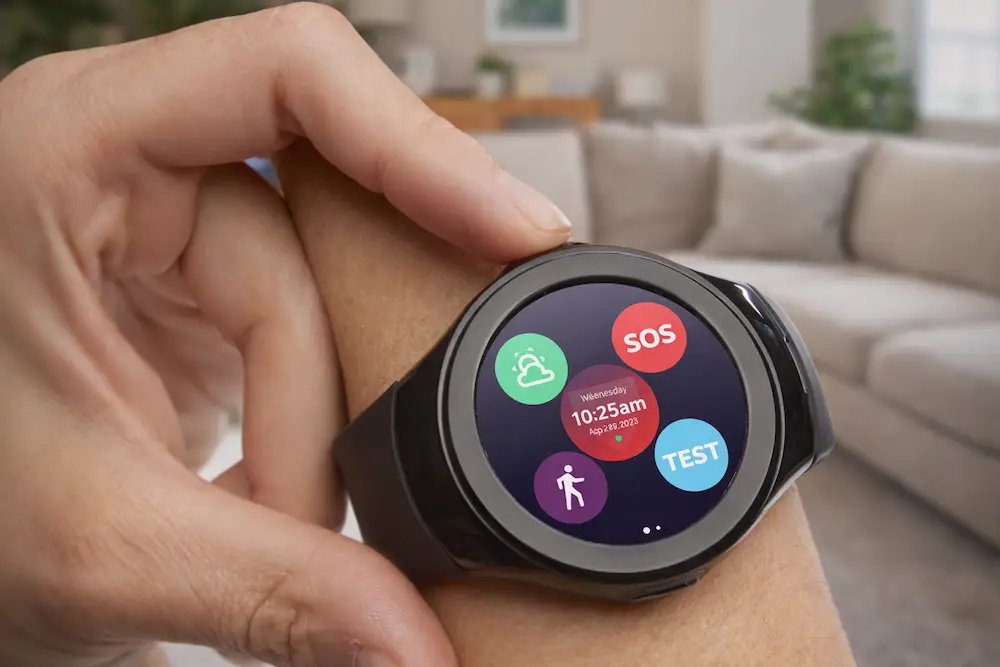
Smartwatch for Seniors: 5 Best 2026 Picks for Vital Safety
The right smartwatch for seniors can be the difference between confident, independent living and a life compromised by constant worry. Look, we need to be honest about the state of technology in 2026. It is no longer just a luxury for the tech-savvy;…
-
Cyber Security Bootcamp Guide: 7 Proven Steps to a High Salary
A cyber security bootcamp is often the only thing standing between you and a lucrative career in one of the world’s most critical industries. Look, I have analyzed the education market for years, and the traditional four-year degree model is bleeding relevance. You…
